LED wall screens are an incredible tool for dynamic displays, but let’s face it, some of the jargon can be confusing. Whether you’re a church tech lead, an event organizer, or just someone looking to install an LED wall, understanding the terms is crucial. Let’s break down the most common LED wall screen jargon in simple language, so you know what you’re dealing with.
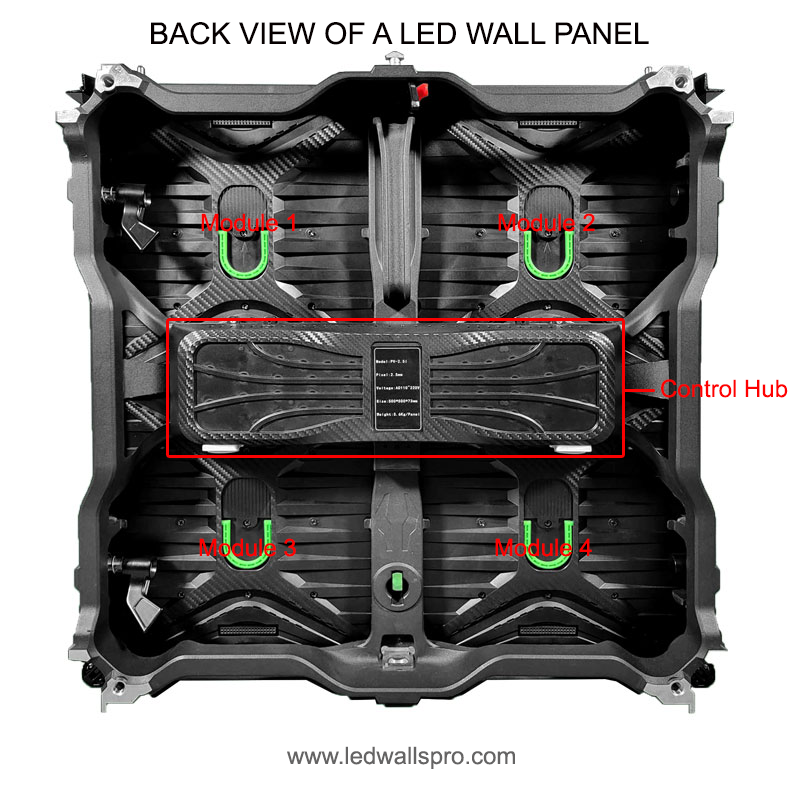
The LED wall panel is the basic building block of an LED screen. Think of it as a single tile that, when combined with others, forms a large video wall. Each panel contains LED modules that produce the images you see. The panels can be arranged in different configurations to create displays of various shapes and sizes.
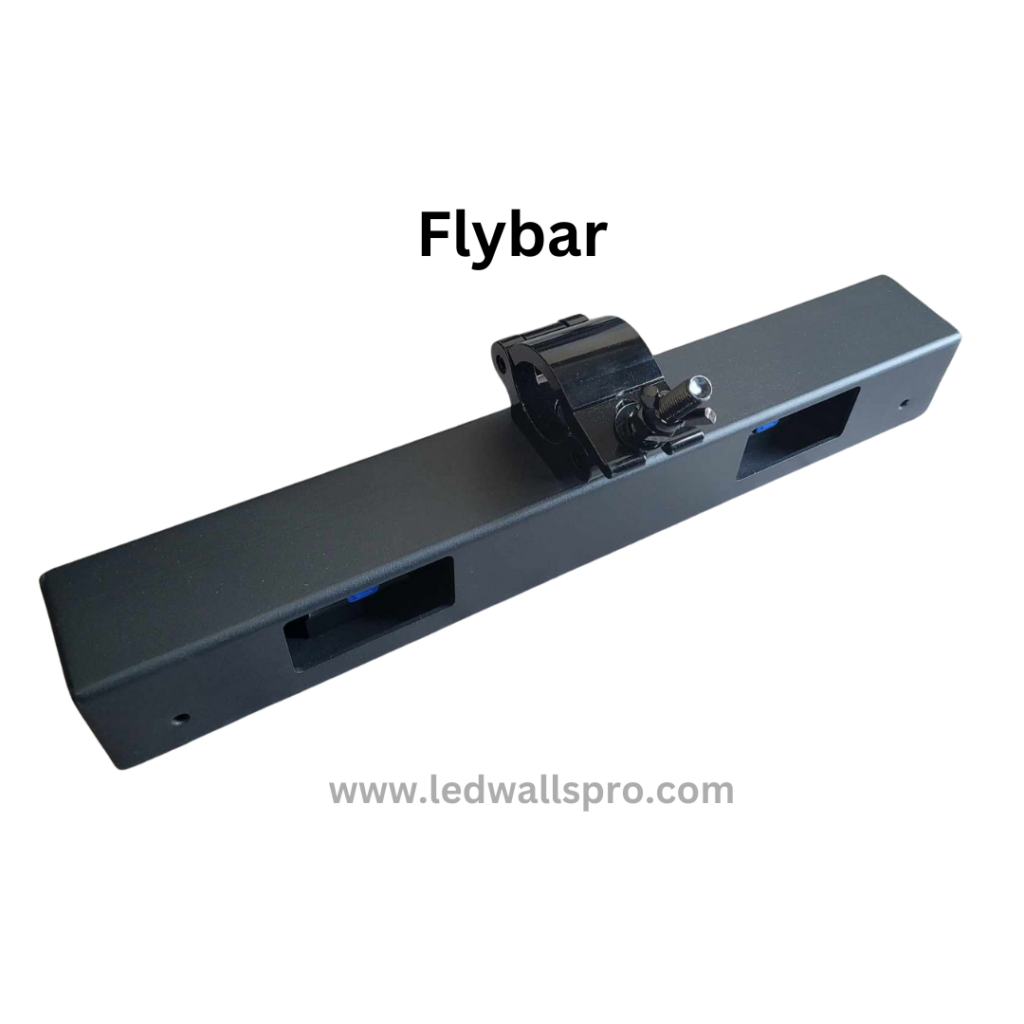
Parts of a Led Wall Panel:
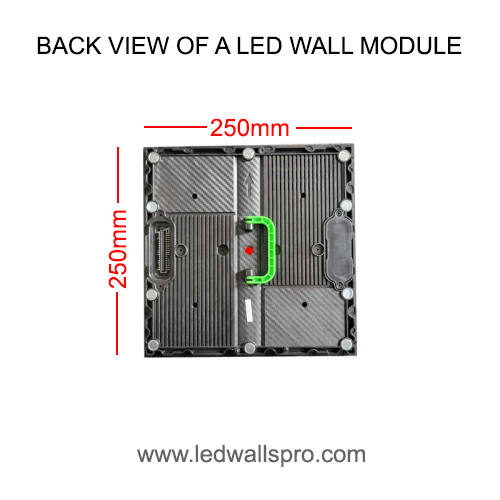
An LED wall module is a smaller component within the LED panel. It houses the individual LEDs that make up the pixels of the display. If a pixel on your wall starts malfunctioning, it’s usually the module that needs replacing, not the entire panel.
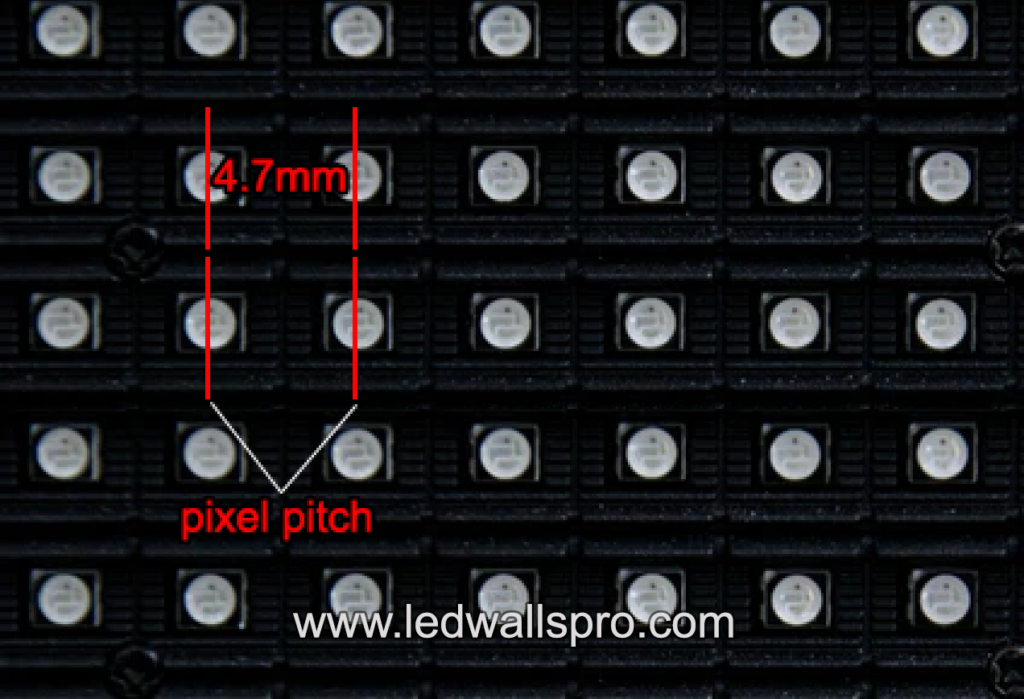
Pixel pitch refers to the distance between two adjacent pixels on the LED wall, typically measured in millimeters. The smaller the pixel pitch, the higher the resolution, and the closer viewers can be without noticing individual pixels.
When we talk about resolution in LED walls, we’re referring to the number of pixels used to form the image. Higher resolution means sharper and more detailed visuals, which is essential for text-heavy displays or presentations. For instance, 4K LED walls offer crystal-clear images perfect for close-up viewing.
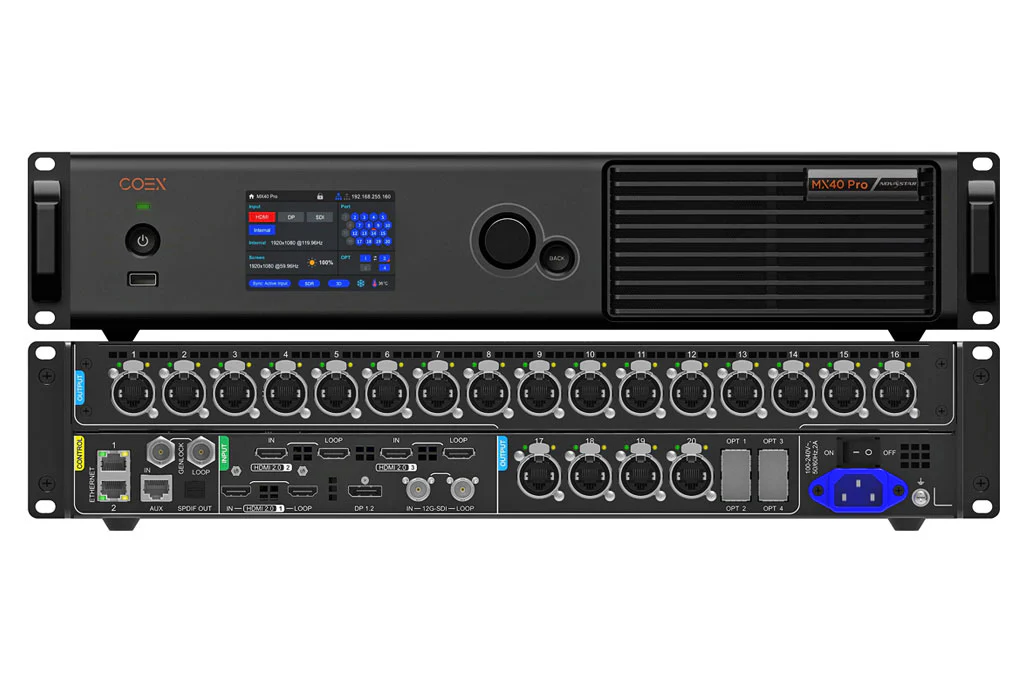
The LED wall video processor is like the brain behind the display. It converts video signals into a format that the LED panels can understand. This piece of hardware determines the quality of the visuals, so investing in a good processor can significantly improve your display’s performance.
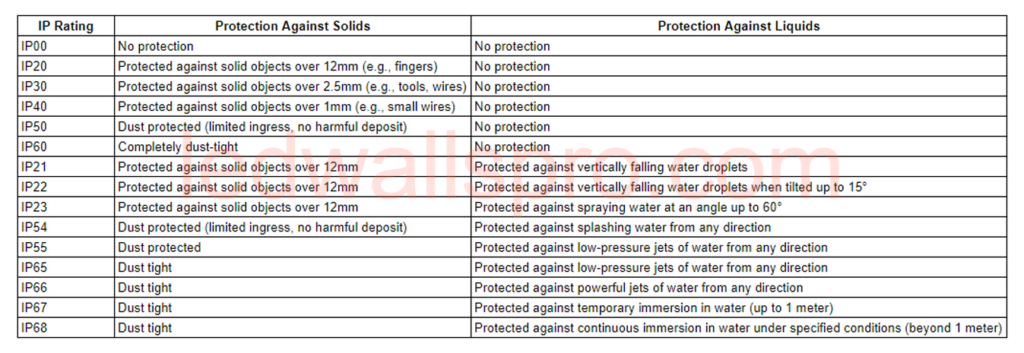
The IP rating (Ingress Protection) measures how well an LED wall can withstand water and dust. An IP65 rating means it’s dust-tight and can handle water jets from any direction, making it suitable for outdoor use. For indoor applications, an IP30 rating is usually sufficient.
The refresh rate is the number of times the image on the screen updates per second, measured in hertz (Hz). A higher refresh rate, such as 3,840Hz or 7680Hz, ensures that fast-moving content appears smoother and is less likely to flicker, especially on camera.
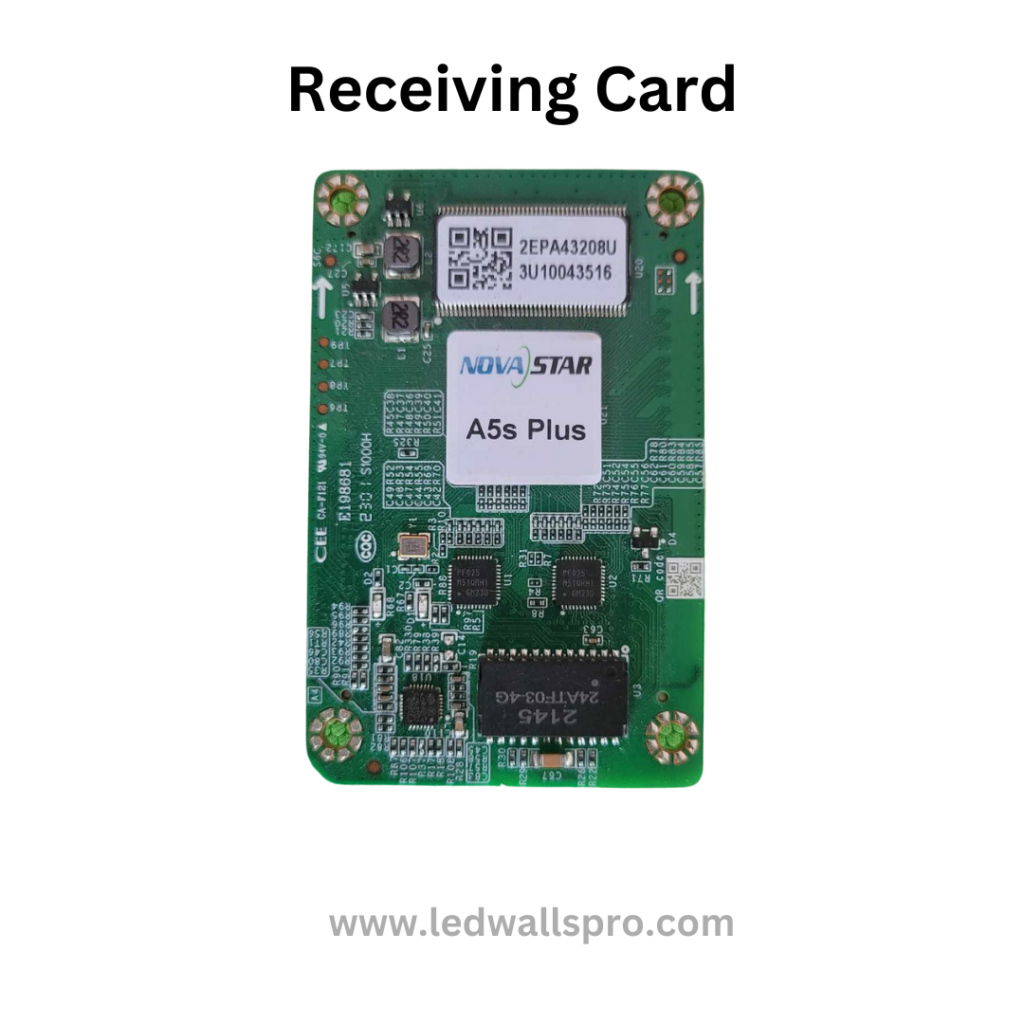
An RCFG file (Receiving Card Configuration file ) is the configuration file that tells the LED wall’s control system how to display the video. It contains settings for brightness, color calibration, and screen mapping. Think of it as the file that customizes your display according to your unique requirements.
Q: How do I know what pixel pitch I need?
A: It depends on the viewing distance. Closer audiences require a smaller pixel pitch for higher resolution, while farther distances can work with larger pitches.
Q: What IP rating should I look for in an outdoor LED wall?
A: Aim for at least an IP65 rating for outdoor displays to ensure protection against water and dust.
Q: Can I change the refresh rate on my LED wall?
A: Yes, but it depends on your video processor’s capabilities and your led wall panel’s components. Higher refresh rates generally provide smoother playback.
Understanding these key terms will help you make better decisions when choosing an LED wall for your church, event, or business. LEDWallsPro.com is here to guide you every step of the way, offering top-quality LED solutions tailored to your specific needs.
You might want to read:
By knowing the jargon, you’ll feel confident making the right choices for your LED wall needs!